
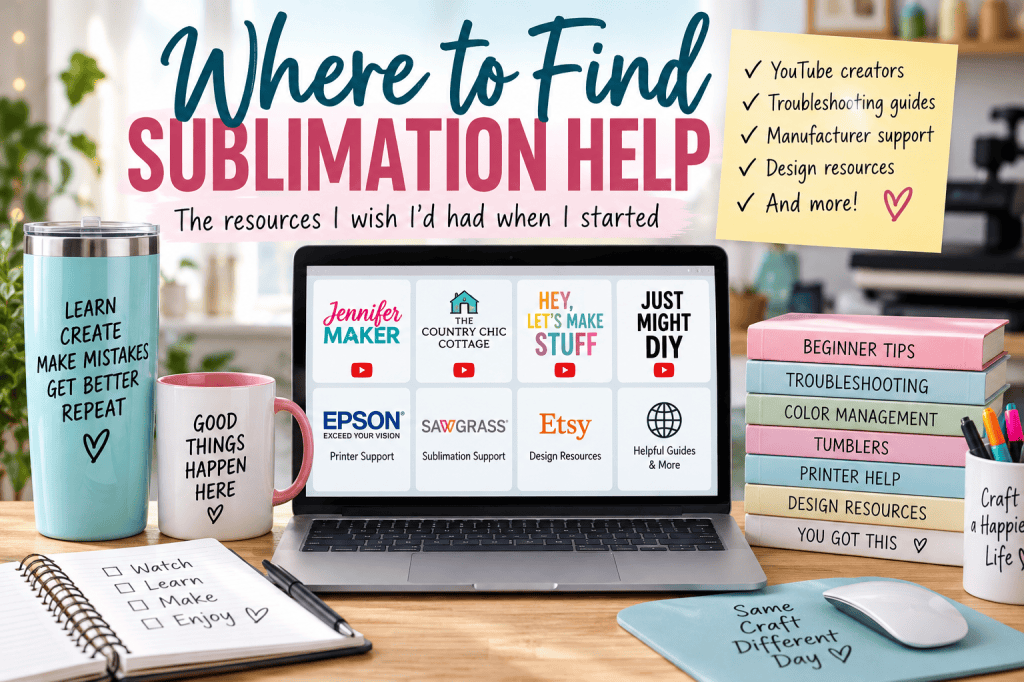
When I first started experimenting with sublimation, I watched a lot of YouTube.
And by a lot, I mean I could probably have earned college credit.
I had already found Jennifer Maker when I was learning to use my Cricut, so naturally I followed her down the sublimation rabbit hole too. Along the way, I found Angie Holden and other creators who became genuinely useful resources when I needed to learn something new or figure out what had gone wrong.
The problem wasn’t that there wasn’t enough information about sublimation.
There was too much of it.
One person did something one way. Another used completely different settings. Someone was using a different printer. Someone else had a different press. I’d start looking for one answer and end up with twelve browser tabs, six YouTube videos, and considerably less certainty than I started with.
So this isn’t another article claiming to teach you everything there is to know about sublimation.
Instead, I’m putting together the resource I would have liked to have when I was learning:
Where do you go when you need help with a particular part of sublimation?
Bookmark it. Come back when something goes sideways. I’ll keep adding useful resources as I find ones worth sharing.
First: You Don’t Need to Learn Everything Before You Start
Sublimation has a lot of moving parts.
Printers. Ink. Paper. Heat. Pressure. Time. Blanks. Color management. Designs. Software.
You don’t need to understand all of them before you’re allowed to make something.
If you’re brand new, start by learning what you need for the project you actually want to make.
Want to make a tumbler?
Learn about tumblers.
Want to make mugs?
Start there.
Trying to understand every possible sublimation process before making your first project is an excellent way to spend three weeks researching a hobby instead of actually enjoying it.
YouTube University Is One of the Best Places to Learn Sublimation
Sublimation is particularly well suited to video because sometimes you need to see someone do it.
How tightly are they wrapping that tumbler?
Where are they putting the tape?
What does ghosting actually look like?
What does a bad nozzle-check pattern look like?
What does “medium pressure” mean on an actual press?
A written explanation can help, but sometimes watching somebody perform the process answers the question immediately.
My advice is not to subscribe to every sublimation creator you encounter.
Find a few whose teaching style makes sense to you.
Once you find someone who seems to be your vibe, stick with them for a while.
Otherwise, YouTube University can become all immersive. You sit down to find out why your tumbler has a weird seam and three hours later you’re comparing printers you didn’t know existed.
Ask me how I know.
Two Creators I Personally Used While Learning
These aren’t names I found while researching this article. They’re creators I actually watched.
Angie Holden: The Country Chic Cottage
Angie Holden is one of my favorite craft and sublimation creators.
If something has gone wrong and you don’t even know what terminology you should be searching for, she’s a very good place to start.
Her sublimation troubleshooting content covers common problems including incorrect equipment and blanks, printer settings, dull images, ghosting, stray ink, blurry results, fading and printer banding.
She has also built an enormous library of crafting and sublimation tutorials, which makes her useful beyond troubleshooting.
Start here if:
You know something went wrong, but you’re not entirely sure what went wrong.
The Country Chic Cottage with Angie Holden on YouTube
Jennifer Maker
I originally found Jennifer Maker when I was learning to use my Cricut.
Then came sublimation.
Jennifer has an enormous library of beginner-friendly craft tutorials, and one thing I appreciate is that she isn’t afraid to show what happens when a project doesn’t go perfectly.
Her Sublimation Mistakes I Made So You Don’t Have To video is a good example. Instead of showing only beautiful finished projects, she walks through mistakes she’s actually made and what she learned from them.
The video has accumulated tens of thousands of views, so apparently quite a few of us have needed the reassurance that other people’s craft rooms occasionally produce casualties too.
Start here if:
You’re learning sublimation from the beginning or you’d rather learn from someone else’s mistakes before making all of them yourself.
If Your Sublimation Colors Are Wrong
Color can become one of the more technical parts of sublimation.
Your monitor, printer, ink, paper, ICC profile, print settings, blank, heat press, temperature, pressure and pressing time can all affect the finished result.
This is also a perfect example of why I don’t recommend changing five things at once.
If you change your print settings, temperature, pressure and pressing time and the next project looks better, you’ve solved the immediate problem but still don’t know which thing fixed it.
For color management specifically, I found a resource worth bookmarking from Cori George at Hey, Let’s Make Stuff.
Her beginner color-management tutorial explains why sublimation colors vary, how to test colors, what ICC profiles are, where to find them and how to install and use them. It includes instructions for both PC and Mac users and has more than 126,000 views.
Start here if:
Your colors don’t look the way you expected, or you’ve reached the point where everyone keeps saying “ICC profile” and you’d quite like someone to explain what they’re talking about.
If Your Tumbler Has Ghosting or a Bad Seam
Tumblers bring their own collection of opportunities for creative profanity.
Ghosting, gaps at the seam, fading around the top or bottom, poorly fitting wraps and designs that don’t line up can all turn an otherwise pretty tumbler into a learning experience.
Just Might DIY has a tutorial devoted specifically to getting better tumbler seams and preventing ghosting.
They walk through choosing an appropriate design, sizing and printing it, wrapping the tumbler, taping it and pressing it. I particularly like that they discuss how the design itself can make getting a good seam easier or harder.
One thing worth knowing before watching: the video was sponsored by Hiipoo, which provided the materials used in the project. That doesn’t make the tutorial unusable, but I prefer knowing when the products in a tutorial were supplied by a sponsor.
Start here if:
Your tumbler has ghosting around the edges, your seam isn’t meeting properly, or you want to watch someone demonstrate the wrapping process.
If Your Printer Is Printing Lines, Missing Colors or Acting Possessed
This is where I’d stop wandering around YouTube for a minute.
If the problem appears to be your printer, go to the printer manufacturer.
For example, Epson’s own troubleshooting instructions explain how to perform a nozzle check and compare the resulting pattern for gaps or faint areas. Epson then provides model-specific instructions for cleaning and what to do if cleaning doesn’t resolve the problem.
That’s preferable to repeatedly running cleaning cycles because someone in a Facebook comment told you to.
Start here if:
Your printed transfer has missing lines, gaps, banding or suddenly looks different from previous prints.
Important: Look up the instructions for your exact printer model.
If You Use a Sawgrass Printer
Sawgrass maintains its own sublimation support and troubleshooting resources.
Their color-troubleshooting process starts with the printer and works outward: nozzle check, blank/substrate, print settings, heat press, time, temperature, pressure and artwork. They also provide access to their support team when those checks don’t solve the problem.
Sawgrass Sublimation Color Troubleshooting
That’s another good general rule:
When the problem involves a particular piece of equipment, see what the manufacturer says before assuming a random internet solution applies to your setup.
Need the Right Time and Temperature?
This is another area where the internet can make you crazy.
You’ll find people confidently announcing that you should press something at exactly X degrees for exactly Y seconds.
Meanwhile, the manufacturer of your actual blank may tell you something different.
Even Sawgrass describes its own heat-press chart as a starting point and recommends following the specific substrate manufacturer’s instructions. Its published ranges vary considerably depending on the material.
So if you’re wondering:
What temperature should I use?
How long should I press it?
How much pressure?
My first stop would be:
the instructions from the manufacturer or seller of the blank you’re actually using.
Then use a trusted tutorial to help understand the physical process.
That saves you from trying to determine which of six strangers using six different tumblers is correct.
They might all be correct for their own products.
If You’re Buying Sublimation Designs From Etsy, Check the File
I don’t usually create my own sublimation designs.
Some creators love making their own designs or using Canva.
I would generally rather purchase a design I like from Etsy for a few dollars and get on with making the thing.
It saves me time and headache.
But I’ve learned something important:
Don’t assume a purchased design is correct just because someone is selling it.
I’ve purchased designs containing misspellings or other problems that weren’t obvious in the listing preview.
Before you print a purchased file, open the actual download and inspect it.
Check:
- spelling
- names, dates and numbers
- image quality
- edges and cropping
- dimensions
- orientation
- whether it’s actually appropriate for your blank
- the seller’s license if you intend to sell the finished item
Do this before you use ink, paper and a perfectly good blank.
Finding a typo on your computer is irritating.
Finding it permanently baked onto a tumbler is educational in a way nobody requested.
If the file itself is wrong, contact the seller.
If You Have a Friend Who Does Sublimation, Use That Resource Too
Not every useful sublimation resource lives on the internet.
If you know someone who already does sublimation, ask questions.
Better yet, ask whether you can watch them work.
And if you’re interested in sublimation but aren’t ready to buy a printer, ask whether they’d be willing to print a few designs for you for a small fee.
That’s a relatively inexpensive way to find out whether you actually enjoy the process.
It’s also an opportunity to investigate their setup before choosing your own.
Ask:
What printer do you use?
What do you like about it?
What drives you crazy about it?
What would you buy differently if you were starting today?
What piece of equipment do you use constantly?
What did you buy that turned out to be completely unnecessary?
Someone else’s expensive mistake can be remarkably affordable education.
Where Should I Look First?
Here’s the shortcut I wish I’d had:
| What’s happening? | Where I’d start |
|---|---|
| I don’t know what’s wrong | Angie Holden |
| I’m brand new and need to see the process | Jennifer Maker |
| My colors don’t look right | Hey, Let’s Make Stuff color-management tutorial |
| My tumbler has ghosting or seam problems | Just Might DIY tumbler tutorial |
| My Epson is printing lines or missing colors | Epson support for the exact printer |
| I use Sawgrass and have printer/color problems | Sawgrass support |
| I don’t know what time/temp to use | Manufacturer/seller of the actual blank |
| My purchased design is wrong | Original design seller |
| I’m thinking about buying equipment | Someone you know who already sublimates, if possible |
Save yourself some wandering.
How I Decide Whether Sublimation Advice Is Worth Following
There is a tremendous amount of sublimation information online, and not all of it deserves equal weight.
I generally feel better about advice when I can watch someone actually perform the process rather than simply tell me what should happen.
I also appreciate creators who show failures.
A person who can show you what went wrong, explain why, and demonstrate what they changed is often more useful than someone whose projects apparently emerge from the press perfect every single time.
For equipment problems, I want manufacturer guidance.
For a particular blank, I want the blank manufacturer’s recommended settings.
For a technique, I want someone who actually demonstrates that technique.
And once I find a creator whose teaching style works for me, I don’t feel obligated to consult the entire internet.
Sometimes more information doesn’t make a decision easier.
It just gives you more information to sort.
Ready to Make Something?
If you’ve spent enough time troubleshooting, researching, and watching other people make things, it might be time to actually make something yourself.
I’ve put together Beginner Sublimation Projects You Can Make in Under 20 Minutes with simple project ideas that don’t require turning your entire afternoon into a crafting commitment.
Pick one, gather what you need, and give it a try.
And if something goes sideways?
Well, now you know where to come for help. 😂
Bookmark the People Who Teach in a Way That Works for You
You may love the creators I love.
You may find someone completely different whose explanations click instantly for you.
That’s fine.
The goal isn’t to assemble the Official Board of Sublimation Authorities.
It’s to stop wasting half your crafting time searching for someone who can help you craft.
Start with a few good resources. Follow the manufacturer when the problem involves specific equipment or materials. Ask other people who actually do the craft. And when you find someone who consistently teaches in a way that makes sense to you, bookmark them.
Then close the other seventeen tabs.
You came here to make something.
Go make the dang thing. 😂


Leave a Reply